



Heatmiser Slimline-E setup and settings for electric UFH
How to set up a Heatmiser Slimline-E for electric underfloor heating: finding your version, the setup features, floor sensor mode and floor limit, clock and programme, manual mode, keypad lock and the 17°C problem.
Short answer: To set up a Heatmiser Slimline-E, turn it off with the power button, hold the clock button until 00 01 appears, then tap the clock button to step through the numbered features and use the up and down keys to change each one. Set the sensor selection to floor sensor only, or air plus floor, and set the floor temperature limit (20 to 45°C on Heatmiser's Slimline-E datasheet, default 27°C). Press A to save and the power button to turn it back on. A qualified electrician must make the final mains connection.
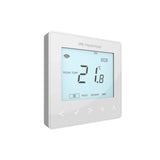
The Heatmiser Slimline-E is a simple programmable thermostat built for electric floor heating. It switches up to 16A at 230V, fits a standard 35mm back box, and comes with a 3m remote floor sensor. It has no app or network link, which many people prefer for a bathroom or kitchen floor that just needs to work.
This guide uses Heatmiser's own Slimline-E datasheet, product page and support articles. It covers the setup menu, which settings matter for an electric floor, the clock and programme, manual mode, the keypad lock and the most common "it will not go above 17°C" problem. If you are still choosing a thermostat, see our neoStat vs neoAir vs Slimline comparison.
Which Slimline-E version do I have?
Check how many setup features your unit has: V1 and V2 go up to feature 12, V3 and V4 stop at 11. Heatmiser's check is quick:
- Hold the power button for 3 seconds to turn the unit off.
- Hold the clock button until the screen shows 00 01.
- Tap the clock button and watch the small number. If it stops at 11 it is a V3; if it reaches 12 it is a V1 or V2.
- Tap A to get a blank screen, then tap the power button to turn it back on.
The version matters because the feature numbers are not the same on every version. The table in this guide comes from Heatmiser's Slimline-E datasheet (revision 2.0). On a V3, use the feature names in your manual and expect the numbers to be different.
How do I get into the Slimline-E setup menu?
Turn the thermostat off with the power button, then hold the clock button until 00 01 appears. The small number in the corner is the feature, the large number is its value.
- Tap the clock button to move to the next feature.
- Use the up and down arrows to change the value.
- Tap A to save and leave the menu.
- Tap the power button to turn the thermostat back on.
Which settings matter for electric underfloor heating?
Sensor selection and floor temperature limit matter most, followed by the programme mode. Heatmiser's Slimline-E datasheet lists these features:
| No. (rev 2.0) | Feature | Range | Default |
|---|---|---|---|
| 01 | Temperature format | °C or °F | °C |
| 02 | Switching differential | 1 to 3°C | 1°C |
| 03 | Frost mode | Enabled or disabled | Enabled |
| 04 | Frost protection temperature | 7 to 17°C | 12°C |
| 05 | Output delay | 0 to 15 minutes | 0 |
| 06 | Communications ID | Not used on this model | n/a |
| 07 | Up/down temperature limit | 0 to 10°C | 0 |
| 08 | Sensor selection | 00 to 04 | 00 (built-in) |
| 09 | Floor temperature limit | 20 to 45°C | 27°C |
| 10 | Optimum start | 0 to 3 hours | 0 |
| 11 | Rate of change | Minutes to raise 1°C | n/a |
| 12 | Programme mode | 00, 01 or 02 | see below |
For the ideas behind switching differential, optimum start and the rest, read our guide to electric UFH thermostat settings.
Which sensor setting should I use on a Slimline-E?
Use 02 (floor sensor only) for bathrooms and most tiled floors, or 03 or 04 if you want the air temperature to control the room with the floor sensor acting as a limit. The factory setting, 00, reads only the built-in air sensor, which does not protect the floor.
| Value | Sensor used | When to use it |
|---|---|---|
| 00 | Built-in sensor | Not suited to electric floors on its own |
| 01 | Remote air sensor | Not suited to electric floors on its own |
| 02 | Floor sensor only | Bathrooms, en-suites, tiled kitchens |
| 03 | Built-in sensor and floor sensor | Thermostat in the room, floor limit wanted |
| 04 | Remote air sensor and floor sensor | Thermostat outside the room, air sensor inside |
The floor sensor sits in the floor between two runs of heating cable, ideally in a conduit so it can be swapped later. Heatmiser advises that its thermostats are not rated for use inside a bathroom, so a bathroom Slimline-E goes outside the door, with the floor sensor wired through to the bathroom floor. Placement tips are in our guide on where to put a UFH thermostat.
What floor limit should I set on a Slimline-E?
Set the floor limit no higher than your floor covering and heating mat allow, and lower if the room is still warm enough. The datasheet range is 20 to 45°C, with 27°C as the default. The limit stops the floor overheating when the air sensor is in control.
BS 7671 Section 753 says that where bare skin or footwear can touch the floor, the surface should be limited to about 35°C to prevent burns, and makers can set lower limits. For timber, laminate, vinyl or carpet, use the maximum floor temperature in the flooring maker's instructions. See our guide to whether underfloor heating is safe.
How do I set the clock and programme?
Press clock twice to set the time, then press clock once to set the comfort levels. Heatmiser's steps for the clock:
- With the thermostat on, press clock twice.
- Set the hour with up and down, then press H.
- Set the minutes, then press H.
- Choose the day of the week, then press A to save.
The Slimline does not change for British Summer Time on its own, so change the clock in spring and autumn.
To programme the four comfort levels, press clock once, set the wake time and press H, set the wake temperature and press H. The screen moves on to LEAVE, then RETURN and SLEEP. Enter --.-- for any period you do not need, then press A. In floor sensor only mode these temperatures are floor temperatures.
The programme mode feature chooses how the levels apply:
- 00 Non-programmable: holds one set temperature all the time.
- 01 5/2 day: four levels for weekdays and four for the weekend.
- 02 7 day: four levels for each day.
Heatmiser also lists heating or timer mode as a software choice on the Slimline-E. Timer mode switches by time only, so keep a heated floor in thermostat mode.
How do I put a Slimline-E into manual mode?
Set the programme mode feature to 00. Turn the unit off, hold clock until 00 01 appears, tap clock until the small number shows the programme mode feature (12 on V1 and V2, 11 on V3), press down until the large number is 00, tap A, then turn it back on. Use up and down to set the temperature and press A. A flame icon means it is calling for heat.
Why will my Slimline-E not go above 17°C?
It is in frost or standby mode. If you can only set 7 to 17°C, tap the power button once. The house and snowflake icons should go, and you can then set up to 35°C. Heatmiser's datasheet gives the thermostat's set range as 5 to 35°C.
To lock the keypad, press and hold A and the down arrow together for 10 seconds until a lock symbol appears. Repeat to unlock. There is no PIN on the Slimline lock.
Design your UFH system yourself in 3 minutes with MaxHeatUFH ProLoop and get an instant quick design and quote. Start your design
Products for this job
- Heatmiser Slimline-E Electric Floor Heating Thermostat
- Heatmiser Temperature Sensor Probe, as a replacement floor sensor
- All electric UFH thermostats
Related guide: electric underfloor heating fault finding.
Frequently asked questions
What is the maximum load on a Slimline-E?
Heatmiser rates the Slimline-E to switch up to 16A at 230V. Your electrician will check the total load of the mats on it.
Does the Slimline-E come with a floor sensor?
Yes. Heatmiser lists a 3m remote floor sensor as included.
What back box does a Slimline-E need?
A standard 35mm deep back box. The installed size is 99 x 86 x 15mm.
Can the Slimline-E connect to an app?
No. It has no network or app feature. If you want app control, look at the neoStat-e with a neoHub instead.
Does the Slimline-E change the clock for summer time?
No. Heatmiser says you need to change it by hand when the clocks go forward or back.
What is the default floor limit on a Slimline-E?
27°C on Heatmiser's Slimline-E datasheet, with a range of 20 to 45°C.
Can I fit the Slimline-E myself?
You can lay the mat and sensor, but the mains connection to the thermostat must be made by a qualified electrician to BS 7671. A new circuit, or work near a bath or shower, is notifiable under Part P.
Sources: Heatmiser Slimline-E datasheet (rev 2.0), Heatmiser Slimline series product page, Heatmiser: hard-wired Slimline manual mode, Heatmiser: changing the Slimline programme mode, Heatmiser: setting the Slimline clock, Heatmiser: programming Slimline heating times, Heatmiser: Slimline will not go above 17 degrees, Heatmiser: Slimline keypad lock, Heatmiser: bathroom setup with underfloor heating, ELECSA: BS 7671 Section 753 floor heating, LBHF Building Control: home electrical safety (Part P)
Products in this guide
Watch how each part works and how to fit it, and download its data sheet and install manual.



Every data sheet and manual: Product Library · All videos: MaxHeatUFH on YouTube

Design it in MaxHeatUFH ProLoop
Add your rooms, choose screed, overlay, joisted or electric, and get a free quick design and full kit list with prices.


