

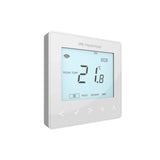


Heatmiser neoStat troubleshooting: error codes, offline, not calling for heat
How to fix common Heatmiser neoStat faults using Heatmiser's own guidance: E0, E1 and E2 error codes, frost mode, offline in the app, heating not answering the call, and factory reset.
Short answer: Most neoStat faults fall into four groups: an error code, a thermostat stuck in frost mode, a thermostat showing offline in the app, or a call for heat that the heating does not answer. E0 means the built-in sensor has failed and the thermostat needs replacing. E1 is a floor probe problem and E2 is a remote air probe problem, usually a wiring or setup issue. If the set temperature will not go above 17°C, the thermostat is in frost mode: move to the power icon and press the tick once.
The Heatmiser neoStat is one of the most common room thermostats on UK wet and electric underfloor heating. When something goes wrong, the screen usually tells you where to look, as long as you know what the codes and icons mean. This guide works through the faults in the order Heatmiser's own support pages tackle them, and tells you which ones you can fix yourself and which need an electrician or heating engineer.
Everything here comes from Heatmiser's own FAQ articles and the neoStat V3 datasheet. Button steps differ slightly between versions. A neoStat V1 has a blue display light, a V2 has a white display light, and Heatmiser gives the same setup steps for the V2 and V3 when clearing E1 and E2. If your model is different, use the manual for that model.
What do the neoStat error codes E0, E1 and E2 mean?
They point to the temperature sensor the thermostat is trying to read. E0 is the thermostat itself. E1 and E2 are remote probes wired to the back of it, and they usually show up during installation.
| Code | Meaning | What to do |
|---|---|---|
| E0 | Built-in sensor has failed | The thermostat is faulty and needs replacing |
| E1 | Floor probe not connected, wired wrongly or faulty | Check the probe is on terminals RT1 and minus, and that it is a compatible type |
| E2 | Remote air probe wired wrongly, faulty or not fitted | Check the probe is on terminals RT2 and minus |
Probe type matters. Heatmiser says a version 1 neoStat supports only the 10K3A1 probe, while version 2 supports 10K3A1, 12K3A1 and 15K3A1 probes. Fitting another type can give wrong readings or an error. The Heatmiser temperature sensor probe is the safe choice for a replacement.
With electric underfloor heating, or with engineered wood flooring, Heatmiser says a floor probe must be fitted. If you see E1 on one of those floors, call an electrician rather than switching the probe off in the menu, because the probe is what limits the floor temperature.
How do I clear E1 or E2 if no probe is fitted?
Change the sensor selection setting back to the built-in sensor. This is right for a wet system where the thermostat sits in the room and reads the air, and the setting has been changed by mistake.
- Open setup. On a V2 or V3, move to the power icon and press and hold the tick until SETUP and CLOCK appear, then tick over SETUP. On a V1, move to SETUP and press tick.
- Find feature 06. Use the up arrow until the small number reads 06, then press tick.
- Set it to 00. Use the left arrow until the large number reads 00, which is the built-in sensor, and press tick.
The same feature is used the other way round when you want the thermostat to read the floor only. Heatmiser's steps set the large number to 02 for floor only, and this needs a compatible probe wired to RT1. Our guide to floor probes and air sensing explains which sensor mode suits which floor.
Why will my neoStat not go above 17°C?
Because it is in frost mode. Frost mode keeps the heating off unless the room falls below the frost temperature, which Heatmiser sets at 12°C by default and lets you adjust from 7°C to 17°C. While it is active, the thermostat will not heat to your normal set points.
- V1 (blue light): look for a snowflake in the top left. Move to the power icon and press tick once. The snowflake goes and the programme resumes.
- V2 (white light): look for a house and snowflake in the top left. Move to the power icon and press tick once.
- neoStat WiFi: scroll to the power icon and press tick. Each press switches frost mode on or off.
If a thermostat keeps going back into frost mode after you take it out, Heatmiser has a separate support article for that fault, so check it before replacing anything. For lower overnight and away temperatures, use the programme levels rather than switching frost mode on and off every day.
What do the icons on the neoStat screen mean?
The icons tell you what the thermostat is doing right now. The flame is the one to check first when the heating seems wrong.
| Icon | Meaning |
|---|---|
| Flame, steady | Calling for heat |
| Flame, flashing | Optimum start is active, warming early to reach the next set point on time |
| Frost (snowflake or house and snowflake) | Frost protection on, overriding the programme |
| Mesh symbol | Connected to the neoHub |
| Floor limit | The floor probe has reached the floor limit set in setup |
| Hold | A temperature hold is running, with time left shown |
| Padlock | Keypad locked |
| Holiday | Holiday mode is active |
The floor limit icon is worth knowing. On the V3 the floor limit can be set from 20°C to 45°C and defaults to 28°C. If the probe hits that limit, the thermostat stops heating even if the room is still below its set point. That can look like a fault in a cold room with a warm floor.
Why is my neoStat showing offline in the app?
The thermostat has lost its link to the neoHub, usually through signal, power or a reset. The heating still works from the wall thermostat while you sort it out.
The neoHub runs its own Zigbee mesh on 2.4GHz, separate from your Wi-Fi, so a Wi-Fi extender does not help. Hard-wired neoStats act as repeaters for each other, and a neoPlug can extend range once added in the app as an accessory. Work through Heatmiser's checks in order:
- Look at the display. Blank means a power fault. Only a power icon means it is switched off: press tick. SETUP and CLOCK on screen means it is sitting in the menu: move to the power icon, press tick and wait a few minutes.
- Battery models: fit new batteries, then try the thermostat closer to the hub.
- Check for a reset. A factory-reset thermostat shows offline. Delete the zone in the app and add it again.
- Move the neoHub. Keep it away from the router, and never behind or on top of it.
- Look for interference. Remove what you can between the hub and the thermostat. Heatmiser notes that hidden things, such as insulation inside walls, can block the signal.
If every thermostat shows offline but the hub is online, Heatmiser suggests turning off any Wi-Fi extenders, rebooting the neoHub by unplugging it for a couple of minutes, and then sending a Wi-Fi channel scan to Heatmiser support from your registered email address. They check for a clash between the hub's Zigbee channel and your 2.4GHz Wi-Fi. Our neoHub setup guide covers adding zones and linking voice assistants.
Why is the flame on but the floor is not warming?
The thermostat is doing its job, so the fault is further down the line: the wiring centre, the actuator, the pump or the heat source. Check each in turn.
- Wiring centre zone light. On a UH8 or UH4 near the manifold, the zone light should come on with the flame. No light means a wiring or thermostat link fault for an electrician.
- Actuator. If the zone light is on but the loop stays cold, the actuator or the valve under it may not be opening. Our guide to actuator and zone valve faults walks through the tests.
- Pump and boiler. The wiring centre should start the pump and send a demand to the boiler or heat pump. If no zone gets heat, check the boiler is on and the pump is running.
- Output delay and optimum start. The V3 has an output delay of 0 to 15 minutes and optimum start of 0 to 5 hours. A delay means the output waits before switching. A flashing flame means optimum start is running.
If several thermostats are blank at once, look at the wiring centre power light. Heatmiser notes that if the light is off with the fused spur and boiler both on, the internal fuse has probably blown, often because a connected actuator, pump or valve has failed. That needs an electrician or heating engineer. Our UH4 and UH8 wiring guide shows the layout.
Why is the room warm when the flame is off?
Something other than the thermostat is letting heat in. Heatmiser lists four likely causes for a wet system: a valve stuck open, water set too hot at the manifold, a wiring fault, or warmth from outside or from the room below.
- Zone light on with no flame: a wiring or thermostat fault. On a battery thermostat with a UH8-RF, it can mean the wiring centre has lost the signal and gone into fail-safe, which runs the heating for 12 minutes every hour until the link returns.
- Zone light off but the floor is warm: a valve may be stuck open. A plumber should check it.
- Everything switches correctly but the room overheats: the water is too hot. Turn the manifold mixing valve down and balance the loops. A screed floor will still take a long time to cool.
How do I factory reset a neoStat?
Hold the tick over SETUP until all the icons appear, then choose thermostat mode. A reset returns every setting to factory default, so note your settings first.
- V1: move to SETUP and hold tick for 10 seconds until all icons show.
- V2: move to the power icon and hold tick for 5 seconds, select SETUP, then hold tick for 10 seconds until all icons show.
- Choose the mode. Select 1 for thermostat mode or 2 for timer mode, as used for hot water, and press tick.
- Re-pair it. A reset thermostat shows offline. Delete it from the Neo app and add it again as a new zone.
Heatmiser also says that if the neoHub itself has been replaced or factory reset, every thermostat that was linked to it must be factory reset before it will pair again. Start pairing with the thermostats closest to the hub.
Products for this job
- Heatmiser neoStat V3, for a direct replacement
- Heatmiser neoHub G3, for app control
- All thermostats and controls
Frequently asked questions
What does E1 mean on a Heatmiser neoStat?
E1 means the thermostat cannot read its floor probe. The probe may be disconnected, wired to the wrong terminals or faulty. It should be wired to RT1 and minus. On electric UFH or wood floors, get an electrician to fix the probe rather than turning it off.
Can I fix an E0 error?
No. Heatmiser says E0 means the internal sensor has failed and the thermostat is faulty. Replace the thermostat.
Why does my neoStat say offline when the heating still works?
The thermostat has lost its link to the neoHub but still controls the heating locally. Check the display, move the hub away from the router, and add a neoPlug if the thermostat is far from the hub.
Do Wi-Fi extenders help a neoStat that keeps dropping out?
No. Heatmiser explains the neoHub uses its own Zigbee network, separate from Wi-Fi. Extenders can even cause a clash. A neoPlug or a hard-wired neoStat nearer the hub acts as a repeater instead.
What does a flashing flame mean?
Optimum start is active. The thermostat has started heating early so the room reaches the next set temperature at the programmed time.
What is the default frost temperature on a neoStat?
12°C. You can set it anywhere from 7°C to 17°C in the setup menu.
Will a factory reset delete my programme?
Yes. Heatmiser says all data returns to factory default. You then need to set the time and programme again, and re-add the thermostat in the app if you use a neoHub.
Sources: Heatmiser: neoStat E0, E1 or E2 error codes, Heatmiser: neoStat floor temperature only, Heatmiser: set temperature not going above 17°C, Heatmiser: frost mode on the neoStat WiFi, Heatmiser: neoStat V2 icons, Heatmiser: thermostat showing offline, Heatmiser: all devices offline, Heatmiser: neoStat blank display, Heatmiser: room too warm or heating coming on, Heatmiser: how to reset the neoStat, Heatmiser: neoStat will not re-pair, Heatmiser neoStat V3 datasheet
Products in this guide
Watch how each part works and how to fit it, and download its data sheet and install manual.


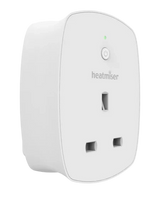


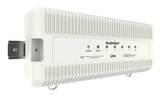


Every data sheet and manual: Product Library · All videos: MaxHeatUFH on YouTube

Design it in MaxHeatUFH ProLoop
Add your rooms, choose screed, overlay, joisted or electric, and get a free quick design and full kit list with prices.


