



Wired vs wireless thermostats for underfloor heating
A comparison of wired 230V, wireless battery and 12V network thermostats for underfloor heating, covering cost, reliability, cabling, batteries and which wiring centre each needs.
Short answer: Choose wired 230V thermostats when the walls are open or you can run a cable from each room to the manifold, because they need no batteries and the hardware costs less. Choose wireless battery thermostats when the rooms are finished, because they need no cable chased into the walls. Heatmiser's wireless thermostats use 868MHz radio and pair with the UH8-RF wiring centre, and their batteries last about a year. Each wiring centre takes one type, but wired and wireless Heatmiser neo thermostats can share one app through a neoHub.
Every underfloor heating zone needs a thermostat, and every thermostat has to tell the wiring centre by the manifold when its room wants heat. It can do that down a cable, or over radio. That one choice decides which wiring centre you buy, how much making-good the electrician has to do, and whether someone has to change batteries each winter.
This guide compares the two on cost, reliability, installation and features, using Heatmiser's manuals and datasheets. It also covers the third option, 12V network thermostats. For what each thermostat model does, see UFH thermostats explained.
What is the difference between wired and wireless UFH thermostats?
A wired thermostat is powered by a mains cable and switches a live back to the wiring centre. A wireless thermostat runs on batteries and sends a radio signal to a wireless wiring centre. Here is how they compare in the Heatmiser range.
| Wired 230V | Wireless | |
|---|---|---|
| Power | Mains, from the wiring centre | Batteries |
| Link | Cable to each room | 868MHz radio |
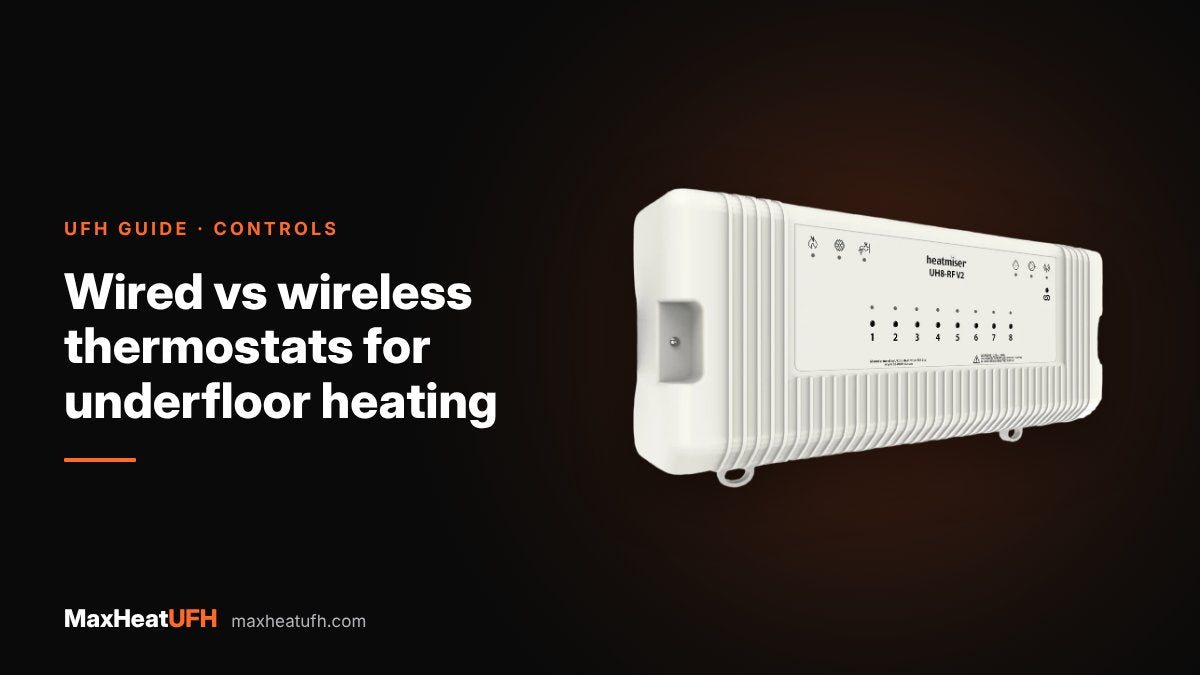
| Wiring centre | UH4 or UH8 | UH8-RF |
| App thermostat | neoStat V3 | neoAir |
| Non-app programmable | Edge, Touch | Slimline-RF |
| Upkeep | None | Battery change about once a year |
| Best for | New build, extensions, first fix | Retrofit, finished rooms, listed walls |
The actuators on the manifold are the same 230V type either way. Only the link between the thermostat and the wiring centre changes.
When should I choose wired thermostats?
Choose wired when you can run cables before plastering or decorating. It is the lower-cost hardware, it needs no batteries, and the thermostat sits flush in a standard back box.
Heatmiser's UH8 wiring diagrams use 1.5mm² three core and earth, or four core and earth, cable from the wiring centre to each thermostat. A programmable thermostat such as the neoStat V3 has L and N terminals to power it and fits a standard 35mm back box. That means a cable run from every room back to the manifold, which is easy at first fix and hard in a finished home.
- New builds and extensions. Cables go in with the rest of the first fix.
- Full renovations. Walls are open, so chasing in a cable costs little extra.
- Rental and commercial property. No batteries to go flat between visits.
- Large houses. No radio range to worry about, however many walls there are.
Wired 230V work should be done by a qualified electrician. Heatmiser's manual says the wiring centre should be installed by an appropriately qualified, registered electrician.
When should I choose wireless thermostats?
Choose wireless when the rooms are already finished. You fix the thermostat to the wall where it reads the room best, pair it to the wiring centre, and there is no cable to chase or make good.
- Retrofit UFH. Common when one floor gets underfloor heating and the walls stay as they are. See our retrofit guide.
- Solid or listed walls where chasing is difficult or not allowed.
- Open-plan rooms where the best wall for the thermostat has no cable route back.
- Rooms you may rearrange. A wireless thermostat can move with the furniture.
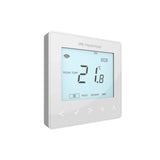
The neoAir is Heatmiser's wireless app thermostat. Heatmiser's FAQ says its batteries are designed to last 10 to 12 months in normal use, with a low battery warning on the screen and in the app. The Slimline-RF is the button-only wireless model. Its datasheet gives 2 x AAA batteries with a typical life of 1 year. Wherever you fix it, follow our guide to where to put a UFH thermostat.
Are wireless UFH thermostats reliable?
Yes, when the receiver is mounted well and every unit has its own address. Most problems come from metal boxes, crowded radio channels or flat batteries.
- Frequency and range. The Slimline-RF datasheet gives 868MHz with a range of up to 100m in open space. Walls, floors and foil-backed insulation all cut that down.
- Keep the receiver out of metal. The UH8-RF manual says never to mount it inside a metal enclosure. If that cannot be avoided, fit the EA1 extension antenna outside the enclosure.
- Use unique channel numbers. Each UH8-RF is set to a channel from 01 to 99 with two rotary switches. No two units in radio range may share a number.
- Extend the network if needed. Heatmiser offers a Boost repeater for the RF range. Neo devices such as the neoAir support mesh networking through the neoHub, where each device relays the signal.
- Change batteries before winter. A flat battery means that zone stops calling for heat.
The UH8-RF also has two useful settings on its DIP switches. Pump delay holds the pump and boiler off for 2 minutes so the actuators can open first. Creepage runs each pump and valve for 1 minute every 24 hours if it has not run, which helps stop them seizing in summer.
How much do wired and wireless systems cost?
The wireless hardware costs a little more, but it saves cable and making-good.
Actuators and the manifold are the same on both. Wired also needs a cable to every room and the electrician's time to run it, which is where wireless wins in a finished house. For a current price on this kit, design your system in MaxHeatUFH ProLoop and get an instant quick design and quote.
Without app control, four Edge thermostats on a UH4 cost less than four Slimline-RF thermostats on a UH8-RF.
What about 12V network thermostats?
They are a wired option that uses data cable instead of mains cable. The neoStat 12V connects to a UH8-N wiring centre.
The UH8-N manual recommends a 4 pair shielded data cable or shielded CAT-5E cable, with each pair kept twisted and the shield drain wire connected to earth at the wiring centre. The thermostats run at 12V, while the board still switches standard 230V actuators and gives a volt-free contact for the boiler.
This suits installers who already run data cable through a house, or projects where the client prefers low-voltage cabling to the thermostats.
Can I mix wired and wireless thermostats?
Not on one wiring centre, but yes in one system. A UH8 takes 230V wired thermostats and a UH8-RF takes wireless ones, so each manifold's wiring centre is one type or the other.
What you can share is the app. Heatmiser lists the neoStat range and the neoAir as compatible with the neoHub, so a wired ground floor and a wireless first floor can show side by side in the neoApp. A single wireless thermostat can also switch a boiler or zone valve through an RF-Switch, and the UH8-RF can use an RF-Switch as a wireless boiler link so no cable runs from the manifold to the boiler.
Design your UFH system yourself in 3 minutes with MaxHeatUFH ProLoop and get an instant quick design and quote. Start your design
Frequently asked questions
Are wireless UFH thermostats as good as wired?
They control the room the same way. The difference is power and the link: wireless needs batteries changed about once a year and a good radio path to the wiring centre, while wired needs a cable to every room.
Do wireless thermostats need a special wiring centre?
Yes. Heatmiser's wireless thermostats pair with the UH8-RF wireless wiring centre or an RF-Switch receiver. A standard UH4 or UH8 is for 230V wired thermostats only.
How far can a wireless UFH thermostat be from the wiring centre?
Heatmiser gives up to 100m in open space for the Slimline-RF. Walls and floors reduce that a lot, so test the signal before fixing it, and use a repeater or mesh network in a large house.
How long do wireless thermostat batteries last?
Heatmiser says about 10 to 12 months for the neoAir and typically 1 year for the Slimline-RF, which uses 2 x AAA batteries.
What cable do wired UFH thermostats need?
For Heatmiser 230V thermostats, the UH8 diagrams show 1.5mm² three core and earth or four core and earth. 12V network thermostats use a 4 pair shielded data cable or shielded CAT-5E instead.
Can I add a wireless thermostat to a wired UFH system later?
Not to the wired UH8 itself. You would need a UH8-RF for wireless zones, or an RF-Switch to switch a separate zone valve. Both can show in the same app through a neoHub.
Can I put the wireless wiring centre in a metal cupboard?
Heatmiser says not to mount the UH8-RF inside a metal enclosure. If you must, fit the EA1 extension antenna outside it.
Sources: Heatmiser UH8 manual, Heatmiser UH8-RF manual, Heatmiser UH8-N manual, Heatmiser Slimline-RF datasheet, Heatmiser FAQ: neoAir batteries, Heatmiser neoStat V3 datasheet, Heatmiser neoHub
Products in this guide
Watch how each part works and how to fit it, and download its data sheet and install manual.


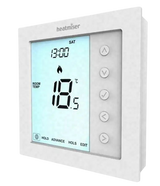


Every data sheet and manual: Product Library · All videos: MaxHeatUFH on YouTube
Design it in MaxHeatUFH ProLoop
Add your rooms, choose screed, overlay, joisted or electric, and get a free quick design and full kit list with prices.


