

UFH flow meters explained: what the numbers mean and how to set them
What the flow meters on an underfloor heating manifold show, how to work out each loop's setting in litres per minute, how to read and adjust them, and what to check when a flow meter is not moving.
Short answer: A UFH flow meter shows how many litres of water per minute (L/min) are going round one loop. Most read up to 4 or 5 L/min. Set each loop to its design flow, which is the loop's heat output in watts divided by 69.8 times the flow-return temperature difference: a 600W loop at a 7°C difference needs about 1.2 L/min. If a flow meter will not move, the loop's actuator is usually still closed, the pump is not running, or air or dirt is holding the float.
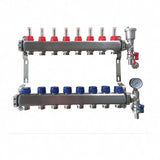
The row of clear tubes on top of a UFH manifold is the quickest health check your system has. Each one tells you whether its loop is flowing and how much. Read properly, they show you which room will heat well, which will struggle, and where a fault lies before you lift a single board.
This guide explains what the numbers mean, how to work out the right setting for each loop, how to read and adjust the meters, and what to check when a meter does not move. The full balancing method is in our guide to balancing underfloor heating loops.
What does a UFH flow meter show?
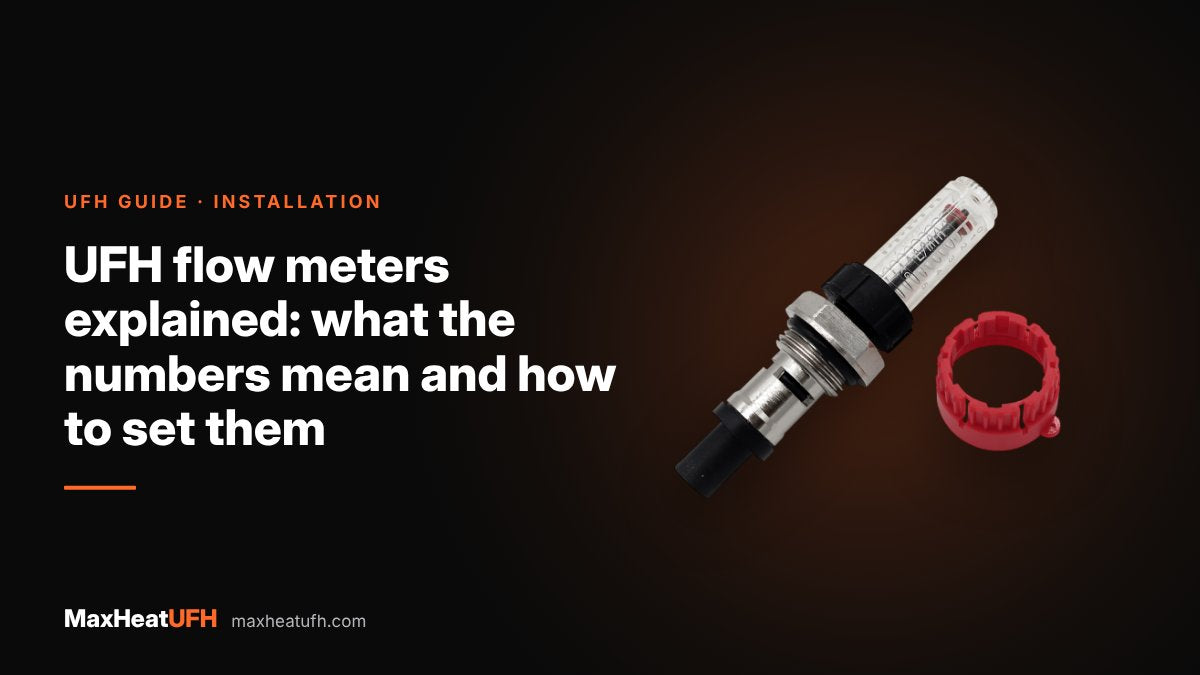
It shows the flow rate through one loop, usually in litres per minute. A marker inside the sight glass rises against a printed scale as more water passes. On most manifolds, the meter also has a built-in valve, so you can turn the flow up, down or off at the same point.
| Manifold flow meter | Scale | Published accuracy |
|---|---|---|
| Manufacturer A manifold | 0 to 5 L/min | ±10% |
| Manufacturer B brass manifold | 1 to 4 L/min (60 to 240 L/h) | Not stated |
| MaxHeatUFH auto-balancing manifold | 0 to 4 L/min | Not stated |
The meters are for setting and checking, not precise measurement. A ±10% tolerance means a meter reading 2.0 L/min could be passing anything from 1.8 to 2.2 L/min. That is fine for balancing, because what matters is getting each loop close to its target.
Flow meters usually sit on the flow (top) bar. One manifold maker says its flow meter manifold must always be on the supply side. Some designs sit on the return bar instead, so follow the arrows on your manifold.
What should my UFH flow meters be set to?
Each loop's setting comes from the heat it has to deliver and the temperature drop you design for. Use this formula:
Flow in L/min = loop heat output in watts ÷ (69.8 × temperature difference in °C)
The 69.8 comes from the heat water carries: about 4,190 joules per kilogram per degree, divided by 60 seconds. The temperature difference (delta T) is the gap between flow and return. Design guides use different figures: one controls maker uses 5°C, and one manifold maker uses 7°C as a common reference. Use the figure on your design sheet.
| Loop output | At 5°C difference | At 7°C difference | At 10°C difference |
|---|---|---|---|
| 300W | 0.9 L/min | 0.6 L/min | 0.4 L/min |
| 600W | 1.7 L/min | 1.2 L/min | 0.9 L/min |
| 900W | 2.6 L/min | 1.8 L/min | 1.3 L/min |
| 1,200W | 3.4 L/min | 2.5 L/min | 1.7 L/min |
To find a loop's output, multiply the area it heats by the room's heat need per m². One manifold maker gives a worked example: a 4.5m² circuit at 70W/m² needs 315W, which at a 7°C difference is about 0.65 L/min. The same maker quotes about 100W/m² for older buildings and about 50W/m² for modern ones as rough figures. A proper heat loss calculation is better, and our guide to heat loss and UFH output shows how.
Loops of different lengths will have different settings. It is normal for flow meters on one manifold to read different numbers. All meters reading the same is more often a sign that nobody has balanced the system.
How do I read a UFH flow meter?
Look straight at the sight glass at eye level and read where the marker sits on the scale, with the pump running and the loop's actuator open. Reading from above or below makes the marker look higher or lower than it is.
- Steady marker: water flowing and no air. Read the figure.
- Marker at zero: no flow. See the checks below.
- Marker jumping or flickering: air is passing through the loop. Purge it, using our guide to bleeding air from underfloor heating.
- Marker at the top of the scale: the loop is fully open and taking more than the meter can show. Usually a short loop on an unbalanced manifold.
- Cannot see the marker: the glass is dirty or cloudy inside. Replace the meter.
The marker shape and the point you read it from vary between makers, so check the instructions for your manifold if you are not sure.
How do I adjust a UFH flow meter?
Turn the meter body or its adjusting ring by hand. One maker says no tools are needed and that the setting can be clipped in place once calibrated. Another warns not to use tools on its flow meters at all, and on its meters turning clockwise closes the loop.
- Open everything. Set every flow meter and actuator fully open, with the pump running and the system purged.
- Find the hardest loop. This is usually the longest one, or the one with the highest target compared with what it reads. Leave it fully open.
- Turn the others down. Adjust each of the other loops to its target figure.
- Go round again. Each change moves the others a little. Repeat until all are close.
- Lock the settings. Use the clip or memory stop if your meter has one, so the loop can be shut off and reopened to the same flow.
Avoid closing any meter to a tiny opening. One maker warns against heavy restriction when balancing, and suggests that a loop far less favoured than the others is better split across two circuits.
Design your UFH system yourself in 3 minutes with MaxHeatUFH ProLoop and get an instant quick design and quote. Loops of similar length are much easier to balance. Start your design
Why is my UFH flow meter not moving?
A flow meter that sits at zero means no water is passing that loop. Work from the simplest cause to the hardest.
| Check | What you see | Fix |
|---|---|---|
| Is the room calling for heat? | Thermostat satisfied, actuator closed | Turn the thermostat up and wait |
| Has the actuator opened? | Indicator shows closed | Wait several minutes; check power at the wiring centre |
| Is the pump running? | No meter on the manifold moves | Check the pump and its supply |
| Are the ball valves open? | Handles across the pipe | Turn them in line with the pipe |
| Has the meter been shut? | Meter turned fully clockwise | Reopen it to its setting |
| Is there air? | Gurgling, marker flickers then stops | Purge the loop |
| Is the marker stuck? | Loop warm but meter reads zero | Tap gently; replace the meter if it stays stuck |
Thermal actuators are slow. Many UFH actuators are normally closed, so the loop stays shut until the actuator has power and has warmed up. On one maker's normally closed actuators, a first-open setting holds the valve open from new, and it releases automatically once the actuator has had power for more than 6 minutes. A brand new loop that flowed during filling and then stopped may simply have had its actuator released.
If the pipe after the meter feels warm but the marker shows nothing, the loop is flowing and the meter is the fault. For actuator and wiring centre checks, see UFH actuator and zone valve faults.
Can I replace a broken or cloudy flow meter?
Yes. Most meters unscrew from the bar as a single part. Isolate the manifold with its ball valves first, let it cool, and have a towel ready, because the bar will still hold water.
Our manifold flow meter is sold on its own. Flow meters are not all the same thread or length, so check it matches the ones already on your manifold. Send a photo to sales@maxheatufh.com if you are not sure.
Do I need to set flow meters on an auto-balancing manifold?
Not in the same way. On an auto-balancing manifold, you preset each return valve to the loop's design flow with a setting key. The valve then holds that flow as other loops open and close. The flow meters stay on as a check, reading 0 to 4 L/min, so you can confirm each loop is close to its target.
Products for this job
- Manifold Flow Meter, replacement
- Auto-Balancing Stainless Steel UFH Manifold
- 2-Wire Thermal Actuator 230V
Frequently asked questions
What should UFH flow meters read?
Each loop should read its design flow, worked out from the heat it delivers. Loops of 300 to 1,200W need roughly 0.4 to 3.4 L/min, depending on the design temperature difference. Different loops will read different numbers.
Should all flow meters on a manifold be the same?
No. Long loops and rooms with more heat loss need more flow. Identical readings usually mean the system has not been balanced.
Why is my flow meter bouncing?
Air is passing through the loop. Purge that loop with water until the marker sits still and no bubbles come out of the drain hose.
Why does one flow meter show no flow when the heating is on?
That loop's actuator is probably closed because its thermostat is satisfied or not wired, or the meter has been turned shut. If the pipe beyond it is warm, the meter itself is stuck.
Can I turn underfloor heating flow meters up to make a room warmer?
Only if that loop is below its design flow. Turning one loop up takes water from the others. If every loop is at its target and the room is still cold, look at the flow temperature, the floor covering and the room's heat loss.
Are flow meters on the flow or return bar?
Usually on the flow bar, with actuators on the return bar. Some manifolds place them the other way round, so follow the arrows on yours.
How accurate are UFH flow meters?
One maker states ±10%. That is good enough for balancing, but not for measuring exact heat output.
Products in this guide
Watch how each part works and how to fit it, and download its data sheet and install manual.


Every data sheet and manual: Product Library · All videos: MaxHeatUFH on YouTube
Design it in MaxHeatUFH ProLoop
Add your rooms, choose screed, overlay, joisted or electric, and get a free quick design and full kit list with prices.